




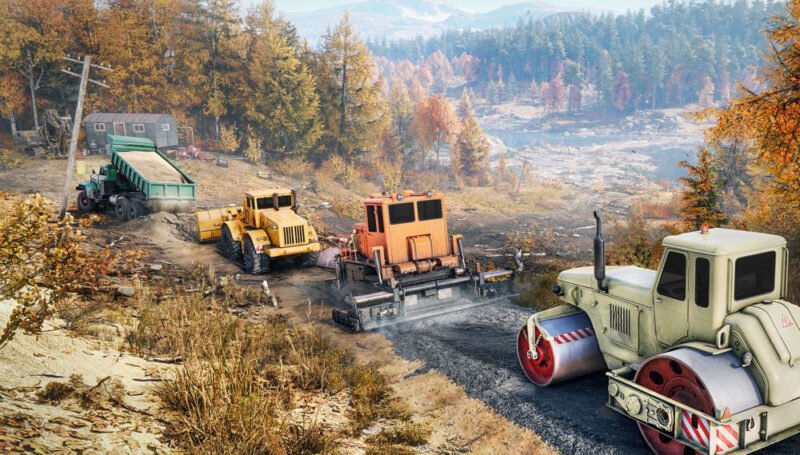
When RoadCraft launched in May 2025, it brought something the heavy machinery simulation community had been waiting for: proper crossplay that actually works. After years of dealing with platform-locked multiplayer in SnowRunner, players can finally team up with friends regardless of whether they’re on PC, PlayStation 5, or Xbox Series X|S.
The game’s integration with Epic Online Services (EOS) has been a game-changer, though it’s not without its quirks. Some players love the seamless connectivity, while others worry about data privacy. Here’s everything you need to know about making the right choice for your gaming setup.
What is RoadCraft EOS Crossplay?
Think of Epic Online Services as the invisible bridge connecting different gaming platforms in RoadCraft. It’s the technology that lets your Steam buddy join your PlayStation session, or allows that friend on Epic Games Store to hop into your Xbox-hosted game.
But EOS does more than just connect platforms. It brings along Epic’s entire social ecosystem – friend lists, voice chat, and session management that works the same way whether you’re on a high-end gaming PC or a console. You can even invite people from your Epic friends list who might be playing on completely different hardware.
What makes RoadCraft special compared to SnowRunner is the shared progression feature. When you join someone’s multiplayer session, your progress actually matters and can sync with the host’s world. No more feeling like you’re just along for the ride – your work contributes to meaningful advancement through campaigns and objectives.
The system offers two flavors: full EOS crossplay and standard crossplay. The EOS version gives you everything – all platforms, all features. The standard version is more limited but keeps Epic Games Store players out of your sessions if that’s what you prefer.
RoadCraft Platform Compatibility Matrix
Here’s where things get interesting. RoadCraft supports four major platforms: Steam, Epic Games Store, PlayStation 5, and Xbox Series X|S. But not all combinations work the same way.
Steam users get the most flexibility. You can choose between EOS and non-EOS modes through launch parameters. Pick EOS, and you’ll connect with everyone. Skip it, and you’ll only see Steam and console players – Epic Games Store users won’t appear in your sessions.
Console players don’t get a choice – they’re locked into EOS mode. That’s actually not a bad thing since it means PlayStation and Xbox users always have access to the full crossplay experience, including Epic Games Store compatibility and all the social features.
Epic Games Store users are also locked into EOS mode, which makes sense since it’s Epic’s own platform. These players often have the smoothest crossplay experience because everything’s natively integrated.
No matter which platforms you mix, you’re still limited to four players per session. That might seem restrictive, but it keeps performance stable across different hardware configurations.
EOS vs Non-EOS: Feature Comparison
This is where personal preference really matters. The EOS version gives you the full package – Epic Games Store integration, cross-platform friends lists, built-in voice chat, and automatic updates. It’s comprehensive but comes with Epic’s data collection.
The non-EOS version is more privacy-focused. You’ll miss out on Epic Games Store players and some social features, but you avoid sharing data with Epic. For many players, this is a fair trade-off since you still get crossplay with Steam and console users.
Important: Performance is virtually identical between both versions. The choice isn’t about how well the game runs – it’s about social features and privacy comfort levels.
The EOS version requires accepting Epic’s data sharing policies. They collect gameplay stats, friend connections, and session info. This enables cross-platform achievements and better matchmaking, but privacy-conscious players might not be comfortable with it.
How to Enable RoadCraft EOS Crossplay
Setting up crossplay varies by platform, but it’s generally straightforward once you know what to do.
Steam Users
Steam users have the most control. Right-click RoadCraft in your library, hit Properties, and look for launch options. Add “-EOSCrossplay” (without quotes) to enable full EOS functionality. Leave it blank for the standard version.
Epic Games Store Users
Epic Games Store users don’t need to do anything – crossplay activates automatically when you launch the game. You can immediately invite Epic friends and join cross-platform sessions.
Console Players
Console players also get automatic setup. The system handles authentication and connections in the background. Just make sure your network settings allow cross-platform communication and that parental controls aren’t blocking online multiplayer.
For the best experience, you’ll want a stable internet connection with at least 1 Mbps upload speed per player. Port forwarding can help with connection stability, especially if you’re hosting sessions, though the game handles most network configuration automatically.
Shared Progression and Save System
This is where RoadCraft really shines compared to its predecessors. The shared progression system actually makes multiplayer sessions feel meaningful instead of just temporary fun.
When you join someone’s session, you bring your personal vehicle fleet along. Everyone can use any vehicle on the map – yours, the host’s, or anyone else’s. It creates this dynamic where players naturally specialize in different vehicle types while still having access to everything.
At the end of each session, joining players face an interesting choice: keep your original save or copy the host’s progress. This flexibility lets you maintain separate solo and multiplayer progression or fully integrate your cooperative achievements.
The host always keeps everything – completed contracts, unlocked areas, new vehicles. This makes choosing a reliable host important for long-term progression, especially if you’re planning extended cooperative campaigns.
Unfortunately, cross-platform save compatibility isn’t available. Save files are too large to transfer between platforms, so you’re locked to whichever platform you choose for your main progression.
Common RoadCraft Crossplay Issues
Connection problems are the biggest headache most players face. These usually come from network conflicts, authentication failures, or version mismatches between platforms.
EOS authentication errors often happen when players have multiple Epic accounts or incomplete account linking. The fix usually involves checking your Epic account status, making sure everything’s properly linked, and clearing cached authentication data.
Platform-specific issues vary widely. Steam users should check their launch options and make sure Steam’s community features are enabled. Console players might need to adjust network settings or update system software.
Performance optimization becomes tricky when mixing different hardware. PC players might need to dial back graphics settings to accommodate console performance, while console players could see frame rate drops in PC-hosted sessions with demanding settings.
Session joining failures typically come from expired invite codes or regional server mismatches. Always use fresh invite codes and make sure everyone’s on compatible game versions.
RoadCraft Crossplay Best Practices
From experience, PC-hosted sessions tend to be the most stable. Better hardware and network flexibility usually translate to smoother gameplay for everyone involved.
The built-in voice chat works fine for basic communication, but many groups prefer Discord for better audio quality and additional features. Test your voice setup before diving into complex missions.
Session management becomes crucial with four players. Designate someone with reliable internet and good hardware as the primary host. Having a backup plan helps when the main host needs to leave or experiences technical issues.
Privacy considerations matter more than you might think. If data sharing concerns you, the non-EOS version still provides excellent crossplay functionality with Steam and console players.
Communication makes or breaks cooperative sessions. Establish roles, vehicle specializations, and objectives before starting missions. Regular check-ins keep everyone engaged and prevent confusion during complex operations.
Should You Use RoadCraft EOS Crossplay?
For most players, the answer is yes – but it depends on your priorities.
EOS crossplay excels when you have friends scattered across different platforms. The ability to connect with Epic Games Store users and access integrated social features creates a seamless experience that’s hard to beat.
Privacy-focused players might prefer the non-EOS route. You’ll lose Epic Games Store compatibility and some social features, but you’ll avoid Epic’s data collection while still enjoying crossplay with the majority of players.
Performance isn’t a factor in this decision – both versions run similarly. It’s really about social features versus privacy preferences.
Looking ahead, Saber Interactive continues developing multiplayer features. Cross-platform save compatibility might eventually arrive, though no timeline has been announced.